 support@codesigncert.com


Azure Key Vault Code Signing Certificates at ₹ 33,167.33/yr
Eliminate Microsoft Windows Warnings and Boost Your Software Downloads Using Azure Key Vault Code Signing.
Azure Key Vault Code Signing delivers robust digital security to secure your software on Azure cloud services powered by Microsoft. It allows software developers to digitally encrypt software code, scripts, and content to build substantial trust and integrity.
It confirms the software’s source is genuine and authenticated with Azure Key Vault digital code signing. The software or application hasn’t been modified since it was signed. As a result, the software is safe and trusted to download.
Azure Key Vault utilizes the latest FIPS 140 Level 2 and Level 3 HSMs to build an encrypted shield for private keys. It provides enhanced protection using an effective hardware security module for the certificates and private keys. By installing Azure Key Vault Code Signing, you can streamline the code signing process and administration of multiple private keys and certificates in a centralized system.
Buy & Renew Azure Key Vault Code Signing Certificate
To maximize security, Code Signing Certificate validity is restricted to one year. You can still purchase 3-year plans for HSM/Token orders, but they now require annual re-issuance.
Code Signing Orders limited to 1-year.

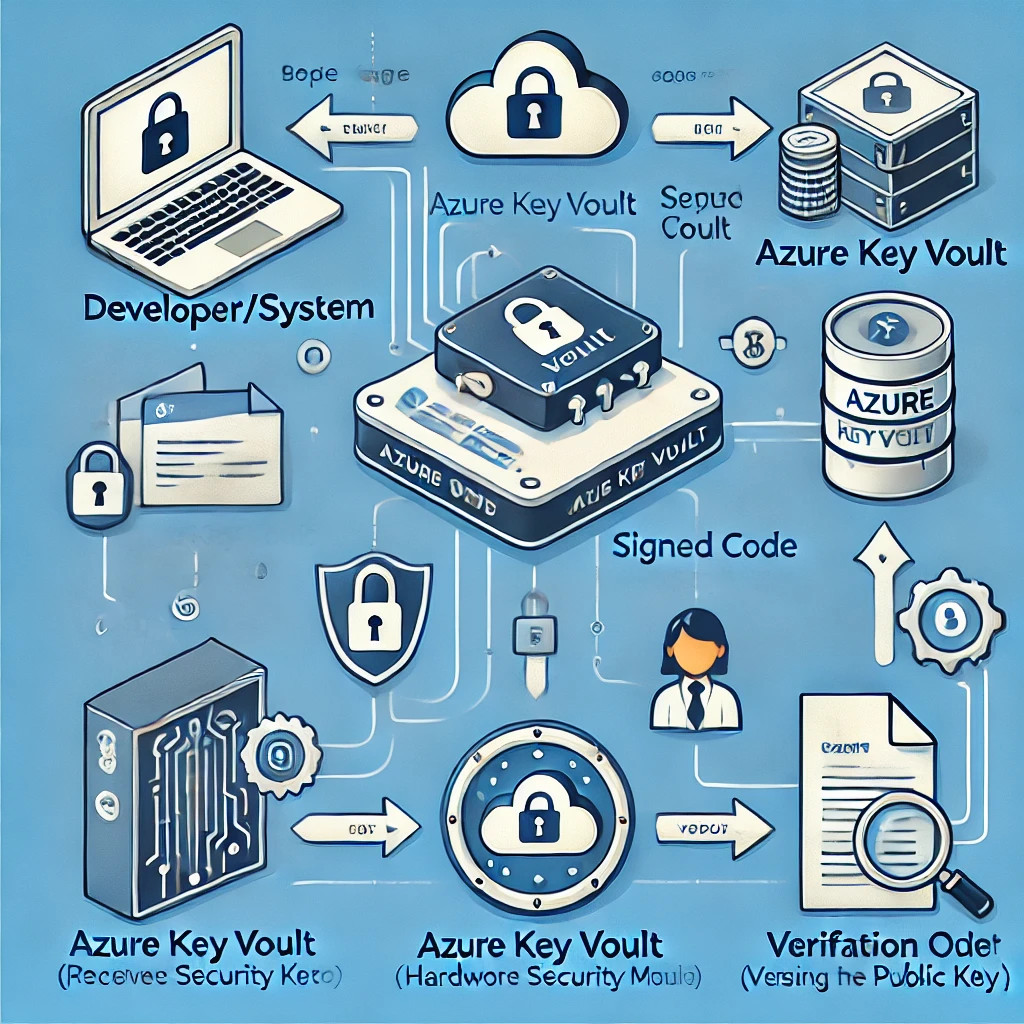
Exploring the Benefits and Key Features of Azure Key Vault Code Signing Certificate
Established Trust and Integrity
Azure code signing certificates help establish trust and integrity of software for end users by verifying the identity of publishers.
Streamlined Code Signing Process
With integrated Key Vault capabilities, Azure offers a seamless certificate management and signing experience right in the build pipeline.
Cloud-Based Security
Private keys for the certificates are secured in Azure Key Vault hardware security modules to ensure compliance and security.
Flexible Options
Azure offers flexible remediation and renewal options for certificates to maximize reliability and minimize disruptions.
Works With Microsoft Stores
Sign code using certificates trusted for publishing apps and add-ins in Microsoft commercial marketplace stores.
Azure Code Signing Certificate Prerequisite/Requirements
Evolving Platform Alignment
Modern Windows versions natively recognize Azure Code Signing claims for smoother app installation. Both Windows 11 and Windows 10 releases - including 22H2 and 21H2 - contain embedded support for validating Azure-certified code automatically.
Safeguarding Software Legitimacy on Microsoft Azure
Verifying software credibility is pivotal for maintaining application security on Windows operating systems. Microsoft's Azure Code Signing provides digital encryption for software interaction between developers and end users.
Authenticating Software Origins
It certifies that executable files, scripts, drivers, and other program components truly originate from the claimed publisher. The authentication instills user confidence regarding the integrity of downloaded software.
Adapting to Trust Standards
As it becomes the trusted norm for Windows app verification, third-party security tools must integrate compatibility. Anti-malware providers like Sophos now embrace Azure Code Sign to sustain visibility of legitimate software changes.
Staying Up-to-Date
Presently, conformity with Microsoft's Azure Code Signing is obligatory for essentially all new Windows software products and updates. Maintaining this modern trust standard remains essential for developers distributing programs to Windows users.
Azure Code Signing 21H2: What It is?
Azure Code Signing 21H2 refers to the Code Signing policies introduced and enforced in Windows 10 version 21H2 in late 2021 to authenticate legitimate software on 21H2 devices using Microsoft Azure.
 Delivery Mode
FIPS-140 Level 2 USB or Existing HSM
 Secure Key Storage
Stored on an External Physical Device
 Issuance Time
3 to 5 Business Days
Compare Code Signing Certificates and Buy at the Best Price
| RSA Encryption Key | 3072-bit or 4096-bit | 3072-bit or 4096-bit | 3072-bit or 4096-bit |
| Issuance for Individual Developers |

|
|

|
| Universal Platform Compatibility |
|
|
|
| Supported File Formats | 32-Bit And 64-Bit | 32-Bit And 64-Bit | 32-Bit And 64-Bit |
| Issuance Time | 4 to 8 Days | 4 to 8 Days | 1 to 5 Days |
| Validation Required | Business/Individual | Business/Individual | Business |
| Visible Trust Indicator | Digital Signature | Digital Signature | Digital Signature |
| Physical USB Token Storage |
|
|
|
| Displays Business Name |
|
|
|
| Publisher Name on the Certificate |
|
|
|
| Sign Unlimited Code, Scripts & Executables |
|
|
|
| Separate Private Key Storage |
|
|
|
| Refund Policy | 30 Days - Full Refund | 30 Days - Full Refund | 30 Days - Full Refund |
| Vendor Price | 379.00/Year | 379.00/Year | 499.00/Year |
Buy Now 
|
Buy Now
|
Buy Now
|
 Comodo Code Signing
 Sectigo Code
Signing
Sectigo Code
Signing
 DigiCert Code
Signing
DigiCert Code
Signing
From Purchase to First Signed Build: Your Code Signing Walkthrough
Getting a code signing certificate involves more steps than a typical SSL, mostly because your private key lives on hardware, not a server.
Here's the full path from order to signed executable.
Pick Your Code Sign Certificate and Key Storage Method
Select OV or EV based on your publishing needs, then decide how your private key will be stored.
Standard orders come with a CA-provisioned hardware token shipped to your door.
If you already own a FIPS-compliant token or HSM (YubiKey, Thales Luna, Google Cloud KMS, etc.), most CAs will provision to your existing hardware instead.
Fill Out the Enrollment Form
After checkout, you'll get an enrollment link by email or via your account dashboard.
Submit your name, organization details, and contact information. Standard token orders skip the CSR step, the CA handles it.
If you're using your own hardware, you'll paste your CSR here.
Clear Identity Validation
The CA's vetting team will verify who you are and, for OV/EV, that your business is legitimate.
Have your government-issued ID, business registration documents, and a reachable phone number ready. EV takes 3–5 business days;
OV is typically faster if your documents are clean.
Set Up Your Token
Once validated, your certificate ships on a pre-configured hardware token.
Install the token driver, plug it in, and set your PIN as instructed.
Your private key is locked to that hardware — it cannot be exported by design.
Sign Your First EXE or Files
With the token connected, sign your executables using SignTool or your platform's equivalent.
Always include a trusted timestamp ( /tr flag), without it, your signature becomes invalid the moment your certificate expires.
Verify Signed EXE Details Before Launching Your Software
Right-click the signed file on Windows and check the Digital Signatures tab, or run signtool verify from the command line.
Confirm your publisher name, issuing CA, and timestamp are all showing correctly. Once that checks out, you're ready to distribute.
Code Signing Certificate Compatibility Supported by All Major Platforms
Achieve cross-platform compatibility with trusted code signing certificate for secure software and application distribution.


Why Choose CodeSignCert for Code Signing Security Certificates?
 Dedicated Code Signing Specialists
 Real Human Support — Anytime You Need It
 Step-by-Step Setup Resources
 Best-Value Pricing from Trusted CAs
 Hassle-Free Renewals & Reissues
 Verified & Trusted Certificates Only
 Policy Change Alerts & Industry Updates
 30 Days Risk-Free Purchase Protection

Need Help with Azure Code Signing CSR & Installation?
Our Trusted Clients Around The World


24/7 Help Desk
Create your support and sales ticket in minutes, and get support from an expert instantly.

30 Day Money Back Assurance
Get your refund with no question ask policy for your purchase, renewal, or order within 30 days of the initial order date.